Animation
Parts of an Animation
@keyframes rule. A statement that details the change points (keyframes), marked in %, in the animation. The @keyframes rule must be named so it can be applied to one or more tags:
    @keyframes letsgo {
         0% {left: 0;}
         100% {left: 120vw;}
    }
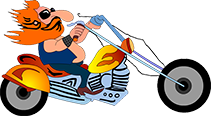
Animation styles attached to the tag you want to move. To do the animation, browsers must know a minimum of the animation name and the animation duration.
    #motorcycle {
        animation-name: letsgo;
        animation-duration: 10s;
        animation-fill-mode: forwards;
        animation-timing-function: ease-in;
    } #motorcycle { /* shorthand animation style combining all the above */
        animation: letsgo 10s forwards ease-in;
    }
JavaScript
If you want one tag (e.g., a button) to affect another (e.g., the motorcycle image), you have to use JavaScript. For the green start button above, a simple JavaScript inserted into the button would be:
    <button onClick="document.getElementById('motorcycle').style.
    animationPlayState='running';"> Go! </button>
Likewise the Pause button would set the animationPlayState to 'paused.' The Rewind button was programmed using ChatGPT.