How to • Basic Page
| HTML Tags in the Page | ||
|---|---|---|
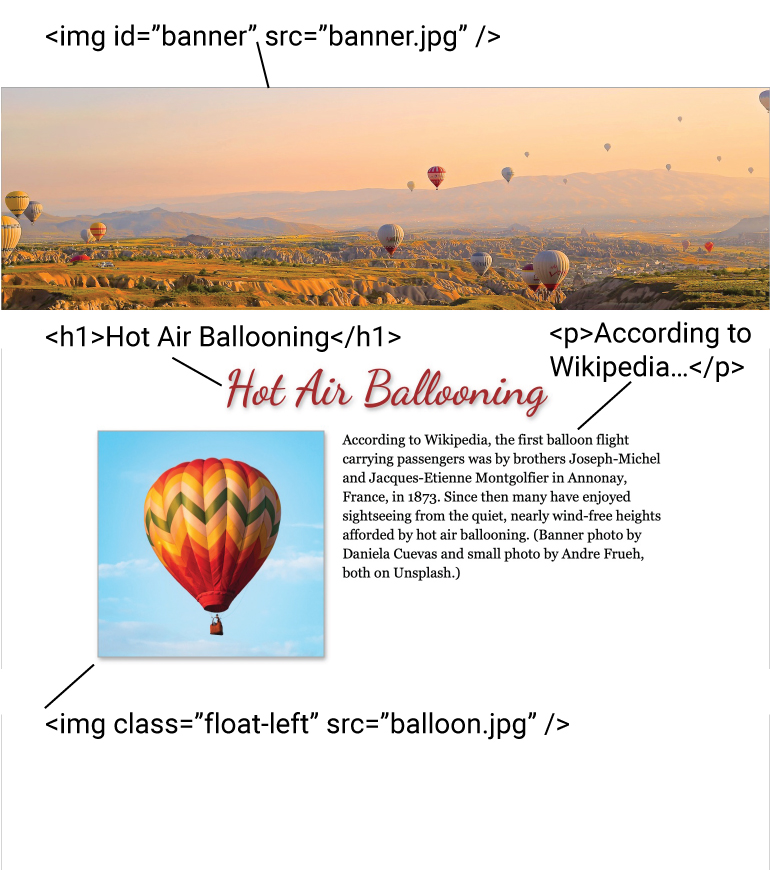
| img | image | non-closing tag, place slash at end |
| h1 | heading 1 | one of 6 headings, h1–h6, bold and larger |
| p | paragraph | p and h1 have automatic paragraph returns ¶ after (called “block-level” elements) |
| id | identification of one tag | can only be used once on a page, selected with # |
| class | identification of multiple tags | selected with .classname |
| To avoid confusion, don't put any spaces or use capital letters in file names, IDs, or classes. | ||
| Styles Used in the Page |
|---|
| #banner { width: 100%; } |
| p { font: 14pt/1.4em Georgia, serif; width: 768px; margin: 0 auto; } |
| .float-left { width: 368px; float: left; } |
| Fonts | |
|---|---|
| Dancing Script | Google Font linked with tag on fonts.google.com (Double-name fonts must be enclosed in single or double quotes.) |
| Georgia | Microsoft screen font, Georgia.ttf loaded with @font-face rule and placed on server |
| Note: To avoid having your font default to Times on readers' computers, either (1) select a Google Font, (2) link your font file with the @font-face rule and remember to upload the font file to the server, and/or (3) include a chain of preferred fonts, such as "font-family: Georgia, serif;". | |