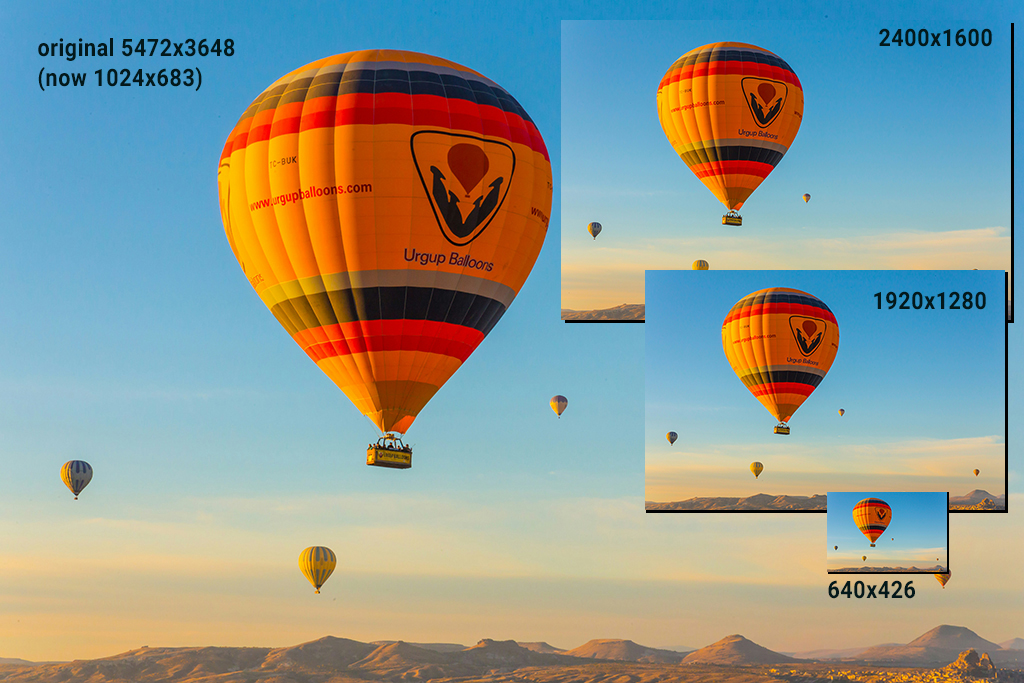
Images should be sized appropriately for web pages. If you have a fixed-width page that's 1024px wide, a full-width image should be 1024px wide or, to give more leeway for enlargement, double that size at 2048px. Higher resolution will not increase quality but will increase download time, which could be important to public WiFi users at malls, airports, on trains and planes, and other places that have limited bandwidth.
As a general guideline, images for the web should not be more than 500K (0.5MB). For the montage below, the 1920px image was downloaded and resized to 1024px in Photoshop.
When linking images to your page, please do not use the “Browse” function of Dreamweaver. This will create a path to the image on your hard drive, which will not be accessible on the web. Rather, link to the image file itself. Example:
    <img src="image.jpg" />
    not <img src="MacHD//Downloads/GRC365/Assignment2/image.jpg">
| Resolutions and File Sizes for the Balloon Image | |
|---|---|
| resolution | file size |
| 5472×3648 | 1.7 MB |
| 2400×1600 | 291 K |
| 1920×1280 | 194 K |
| 640×426 | 37 K |